
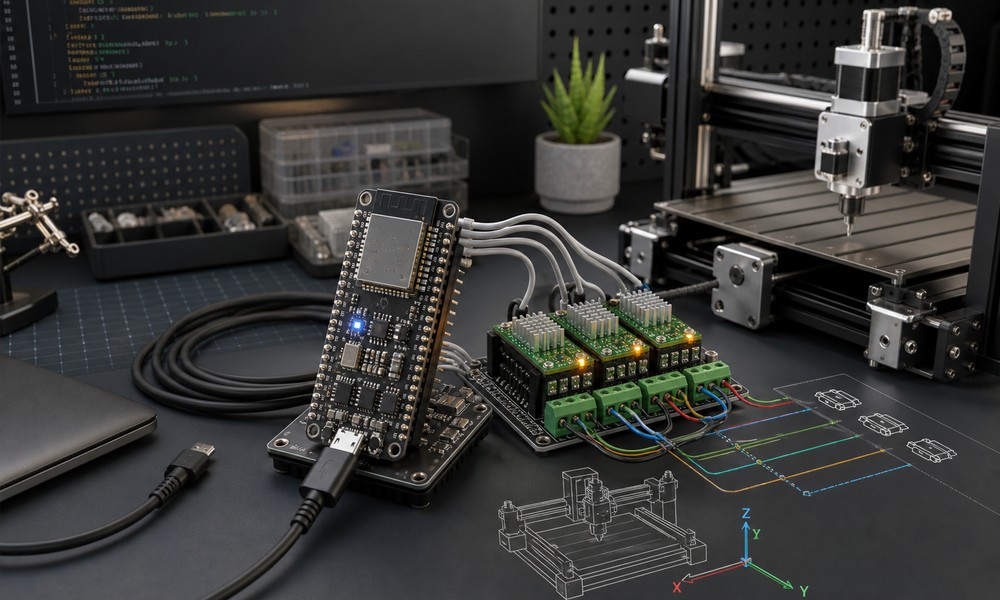
GRBL has been one of the most popular open-source motion control solutions for CNC machines, laser engravers, plotters, and other stepper-based machines. For years, the classic setup was simple: an Arduino Uno, a CNC shield, a few stepper drivers, and a GRBL firmware build for AVR microcontrollers.
That approach still works well for many hobby machines. However, modern CNC users often need more processing power, more I/O flexibility, wireless connectivity, and better performance headroom. This is where the ESP32 becomes a very attractive platform for running GRBL-style motion control firmware.
In this guide, we will look at why ESP32 is a strong upgrade over traditional Arduino/AVR boards, why Rabbit GRBL is a practical ESP32-based GRBL solution, and what you need to know before installing GRBL on an ESP32.
Why Move GRBL from Arduino to ESP32?
The original GRBL firmware was designed for AVR microcontrollers, especially boards like the Arduino Uno. Its biggest strength was efficiency: it could deliver reliable CNC motion control on very limited hardware. That made GRBL accessible, affordable, and widely adopted.
But AVR-based boards also have clear limitations. They offer limited CPU speed, limited memory, limited flash storage, and very little room for advanced features. As CNC workflows evolve, users often want more than basic 3-axis motion. They may need additional axes, improved real-time performance, wireless communication, more flexible machine configurations, or extra features such as backlash compensation and custom homing behavior.
The ESP32 provides a much more modern foundation. It has a faster 32-bit processor, more memory, integrated WiFi and Bluetooth, and significantly more hardware capability than a typical Arduino Uno. For CNC motion control, this extra headroom matters. It allows firmware developers to build more capable systems while keeping the familiar GRBL workflow that users already understand.
Why Rabbit GRBL Is a Good ESP32 GRBL Solution
When upgrading from Arduino-based GRBL to an ESP32 platform, compatibility is extremely important. Many users already have existing G-code files, machine settings, sender applications, and established workflows. A firmware upgrade should not force them to relearn everything or replace their entire software stack.
This is where Rabbit GRBL is especially useful. Rabbit GRBL is designed as a professional-grade motion control firmware for ESP32 while remaining 100% backward compatible with the original GRBL firmware for AVR processors. That means users can move to a more powerful hardware platform while keeping compatibility with standard GRBL commands and GRBL-based G-code senders.
Rabbit GRBL is also highly optimized for real-time motion control. It is built for stable, precise step generation and is suitable for demanding CNC, laser, and automation applications. Instead of treating ESP32 as just a faster Arduino replacement, Rabbit GRBL takes advantage of the platform to provide a more capable and future-ready motion control environment.
What You Need Before Installing
To install GRBL on an ESP32 using Rabbit GRBL, you will need a compatible ESP32 board, a USB cable, the Arduino IDE, and the Rabbit GRBL source code. You should also have a basic understanding of CNC electronics, especially if you plan to connect stepper drivers, limit switches, probe inputs, spindle control, or coolant outputs.
For compiling with the Arduino IDE, it is important to use the correct ESP32 board package version. Rabbit GRBL requires the Espressif ESP32 boards package version 2.0.0. Using other versions may cause compilation errors, missing library issues, or toolchain incompatibilities.
In the Arduino IDE, open Preferences and add the Espressif Board Manager URL:
https://raw.githubusercontent.com/espressif/arduino-esp32/gh-pages/package_esp32_index.json
Then open Boards Manager, search for esp32, locate esp32 by Espressif Systems, and install version 2.0.0.
Compiling and Uploading Rabbit GRBL
After installing the correct ESP32 board package, open the Rabbit GRBL project in the Arduino IDE. Select the correct ESP32 board and upload settings according to the Rabbit GRBL documentation. Then connect your ESP32 board via USB, choose the correct serial port, and click Upload.
Once the upload is complete, connect to the board using a GRBL-compatible G-code sender or serial terminal. You should verify that the controller responds correctly, check the GRBL settings, and confirm that basic commands are working before connecting the controller to a real machine.
A good first test is to check communication, then review the $ settings, then perform simple jog movements with motors disconnected from any dangerous mechanical load. After that, verify homing, limit switches, probe behavior, and spindle or coolant outputs depending on your machine setup.
DIY ESP32 Board or Ready-Made CNC Controller?
A bare ESP32 board is a great way to experiment with Rabbit GRBL, learn how the firmware works, and build custom CNC electronics. However, real CNC machines operate in electrically noisy environments. Motors, spindle drives, long cables, relays, and power supplies can introduce interference and reliability problems.
For a production-ready machine, the controller hardware matters just as much as the firmware. Clean STEP/DIR signals, opto-isolated inputs, stable power regulation, reverse polarity protection, and proper connectors can make a major difference in day-to-day reliability.
For users who prefer a ready-made solution, the Rabbit Board 4-Axis is a GRBL CNC motion controller built around ESP32 and shipped with Rabbit GRBL pre-installed. It is designed for real CNC environments, with buffered STEP/DIR outputs, 12V opto-isolated inputs, and a noise-resistant power design.
Conclusion
Installing GRBL on an ESP32 is a practical way to modernize a CNC controller while keeping the familiar GRBL ecosystem. Compared with classic Arduino/AVR hardware, ESP32 provides more performance, more flexibility, and better potential for advanced CNC features.
Rabbit GRBL makes this upgrade path especially attractive because it combines ESP32 performance with backward compatibility, optimized real-time motion control, and a professional-grade GRBL experience. Whether you are experimenting with a bare ESP32 board or using a ready-made controller such as the Rabbit Board 4-Axis, ESP32-based GRBL is a strong foundation for modern CNC motion control.
